|
 |
|
 |
|
| Author |
|
|||||||
|
trog
AGN Admin
Posts: 22415
Location: Brisbane, Queensland
|
1) The way every time I run anything that is made by Apple, or upgrade any existing Apple software (eg, iTunes), the goddamn Quicktime icon comes back all over my PC.
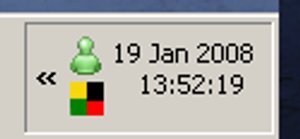
2) When I expand my Task Bar to be two bars high, the systray clock adds in the day - instead of the date. http://trog.qgl.org/up/windowsclock.jpg Chances are I know what f***ing day it is. It's far, far more likely I don't know what the date is - and far, far more likely that I'm going to be looking for that information. If I go to three bars high, I get the date - but I don't want/need 3 bars of taskbar. |
|||||||
| #0 01:14pm 19/01/08 |
|
|||||||
|
system
|
--
|
|||||||
| #0 |
|
|||||||
|
koopz
Posts: 6658
Location: Queensland
|
Promoted: News Item
|
|||||||
| #1 01:17pm 19/01/08 |
|
|||||||
|
giririsss
Posts: 2733
Location: Brisbane, Queensland
|
i also say it's fairly likely most people don't even WANT the clock to take up more space.
Oh and the new winamp is annoying too. |
|||||||
| #2 01:19pm 19/01/08 |
|
|||||||
|
Reverend Evil™
Posts: 15423
Location: Wynnum, Queensland
|
My clock doesn't even keep the right time. Every time I change it to what it should be it always goes back about 10 minutes after a day or so. f***s me why but this has been happening with the last 3 or 4 mobos I've had and they're all different.
Is there something on the net that it's syncing to because it's really f***ing annoying. |
|||||||
| #3 01:31pm 19/01/08 |
|
|||||||
|
gimpy
Posts: 1814
Location: Brisbane, Queensland
|
Sounds like someone is having a case of the Saturdays
|
|||||||
| #4 01:32pm 19/01/08 |
|
|||||||
|
Triamks
Posts: 1439
Location: Brisbane, Queensland
|
Upgrade to Vista. Then you'll get all 3 on two bars - the time, day and the date.
|
|||||||
| #5 01:35pm 19/01/08 |
|
|||||||
|
trog
AGN Admin
Posts: 22418
Location: Brisbane, Queensland
|
Is there something on the net that it's syncing to because it's really f***ing annoying.open source to the rescue. Just run that! I think some Windows (Vista?) have a time sync service or something? Maybe check your services list and see if there's anything obvious. |
|||||||
| #6 01:42pm 19/01/08 |
|
|||||||
|
gimpy
Posts: 1815
Location: Brisbane, Queensland
|
||||||||
| #7 01:43pm 19/01/08 |
|
|||||||
|
trog
AGN Admin
Posts: 22419
Location: Brisbane, Queensland
|
that looks like a 3-bar taskbar?
|
|||||||
| #8 01:44pm 19/01/08 |
|
|||||||
|
koopz
Posts: 6659
Location: Queensland
|
it's a two.
a 3 bar shows 4 rows on the far right corner. btw - can't you change the order in which the date is shown somewhere in the controll panel? this machine is locked down so I can't check last edited by koopz at 13:49:10 19/Jan/08 |
|||||||
| #9 01:49pm 19/01/08 |
|
|||||||
|
gimpy
Posts: 1816
Location: Brisbane, Queensland
|
This is a 3-bar taskbar :)
http://img267.imageshack.us/img267/3308/81427946qk8.jpg It's a 2-bar, I promise |
|||||||
| #10 01:48pm 19/01/08 |
|
|||||||
|
trog
AGN Admin
Posts: 22420
Location: Brisbane, Queensland
|
how bizarre, I wonder what the difference is between yours and mine?
edit: found it, I'm running Windows Classic theme and you must be running normal XP theme. I guess Classic just doesn't have enough PIXALS to fit it in. |
|||||||
| #11 01:49pm 19/01/08 |
|
|||||||
|
Spock
Posts: 666
Location: Brisbane, Queensland
|
I AGREE, i just unlocked my taskbar and it shows the time day and date
|
|||||||
| #12 01:51pm 19/01/08 |
|
|||||||
|
gimpy
Posts: 1817
Location: Brisbane, Queensland
|
1) The way every time I run anything that is made by Apple, or upgrade any existing Apple software (eg, iTunes), the goddamn Quicktime icon comes back all over my PC. Can you elaborate on that a little? I'm puzzled |
|||||||
| #13 02:00pm 19/01/08 |
|
|||||||
|
Idol
Posts: 1734
Location: Brisbane, Queensland
|
sif double task bar
|
|||||||
| #14 02:01pm 19/01/08 |
|
|||||||
|
ravn0s
Posts: 5978
Location: Brisbane, Queensland
|
trog beat me to it. its classic theme
|
|||||||
| #15 02:03pm 19/01/08 |
|
|||||||
|
Reverend Evil™
Posts: 15424
Location: Wynnum, Queensland
|
Thanx trog
8-) |
|||||||
| #16 02:03pm 19/01/08 |
|
|||||||
|
Idol
Posts: 1735
Location: Brisbane, Queensland
|
and yeah how do you ban the quicktime icon?
|
|||||||
| #17 02:04pm 19/01/08 |
|
|||||||
|
Idol
Posts: 1736
Location: Brisbane, Queensland
|
ok I found the options in preferences to turn off updates and get rid of the system tray icon
|
|||||||
| #18 02:05pm 19/01/08 |
|
|||||||
|
Fireblood
Posts: 8064
Location: Brisbane, Queensland
|
Trog, I had the same problem with the date, so I just played around with the options, I only had to change the 1 option, so basically everything else is classic apart from the taskbar, maybe give that a go?
|
|||||||
| #19 02:28pm 19/01/08 |
|
|||||||
|
Idol
Posts: 1738
Location: Brisbane, Queensland
|
you people with the classic themes need to just let go
|
|||||||
| #20 02:34pm 19/01/08 |
|
|||||||
|
teq
Posts: 828
Location: Brisbane, Queensland
|
I get the clock, date and day when I go to two bars high?
I use one bar for the running applications and one for quick launch. |
|||||||
| #21 02:50pm 19/01/08 |
|
|||||||
|
Jim
Posts: 7145
Location: Brisbane, Queensland
|
http://www.rcis.co.za/dale/tclockex/index.htm
this free app lets you do it with classic theme you can edit the string shown and insert a line break wherever you like, here's mine with classic theme, classic start menu, task bar two-high: http://jason.qgl.org/images/systrayclock.jpg |
|||||||
| #22 02:56pm 19/01/08 |
|
|||||||
|
gimpy
Posts: 1818
Location: Brisbane, Queensland
|
Hrm.. 19th of Jan, why does that date look familar..
That means I need to cook my steak in the fridge! |
|||||||
| #23 02:58pm 19/01/08 |
|
|||||||
|
Spock
Posts: 667
Location: Brisbane, Queensland
|
mmm steak
|
|||||||
| #24 03:04pm 19/01/08 |
|
|||||||
|
HERMITech
Posts: 5453
Location: Brisbane, Queensland
|
how do you ban the quicktime icon? Remove it from the registry HKEY_LOCAL_MACHINE\SOFTWARE\Microsoft\Windows\CurrentVersion\Run\"QuickTime Task" |
|||||||
| #25 04:33pm 19/01/08 |
|
|||||||
|
³dee
Posts: 1826
Location: Brisbane, Queensland
|
Control Panel > Quicktime > Advanced > Install QuickTime icon in system tray
|
|||||||
| #26 09:34am 20/01/08 |
|
|||||||
|
koopz
Posts: 6662
Location: Queensland
|
how do you ban the quicktime icon? doesn't free-codecs.com have the free one without the f*****ry anymore? why do you actually *need* QT? or are there some aps that actually require the legit quicktime to be installed? it's just a few files that make media players render the file =/ |
|||||||
| #27 06:28pm 20/01/08 |
|
|||||||
|
³dee
Posts: 1843
Location: Brisbane, Queensland
|
QuickTime takes about 9 years to open. Whereas MPC takes about 450ms.
|
|||||||
| #28 06:41pm 20/01/08 |
|
|||||||
|
trog
AGN Admin
Posts: 22432
Location: Brisbane, Queensland
|
doesn't free-codecs.com have the free one without the f*****ry anymore? why do you actually *need* QT?For me its just installed along side iTunes |
|||||||
| #29 06:45pm 20/01/08 |
|
|||||||
|
system
|
--
|
|||||||
| #29 |
|
|||||||
|
| ||||||||